
Aircall Pricing 2027: Plans, Features & Costs
Explore Aircall pricing in 2027. Compare Essentials, Professional, and Custom plans, features, costs, and find the right plan for your team.
Aircall Pricing Overview
Aircall is a cloud-based business phone and customer communication platform designed for sales, support, and growing business teams. It combines calling, messaging, integrations, analytics, and AI-powered features in one platform.
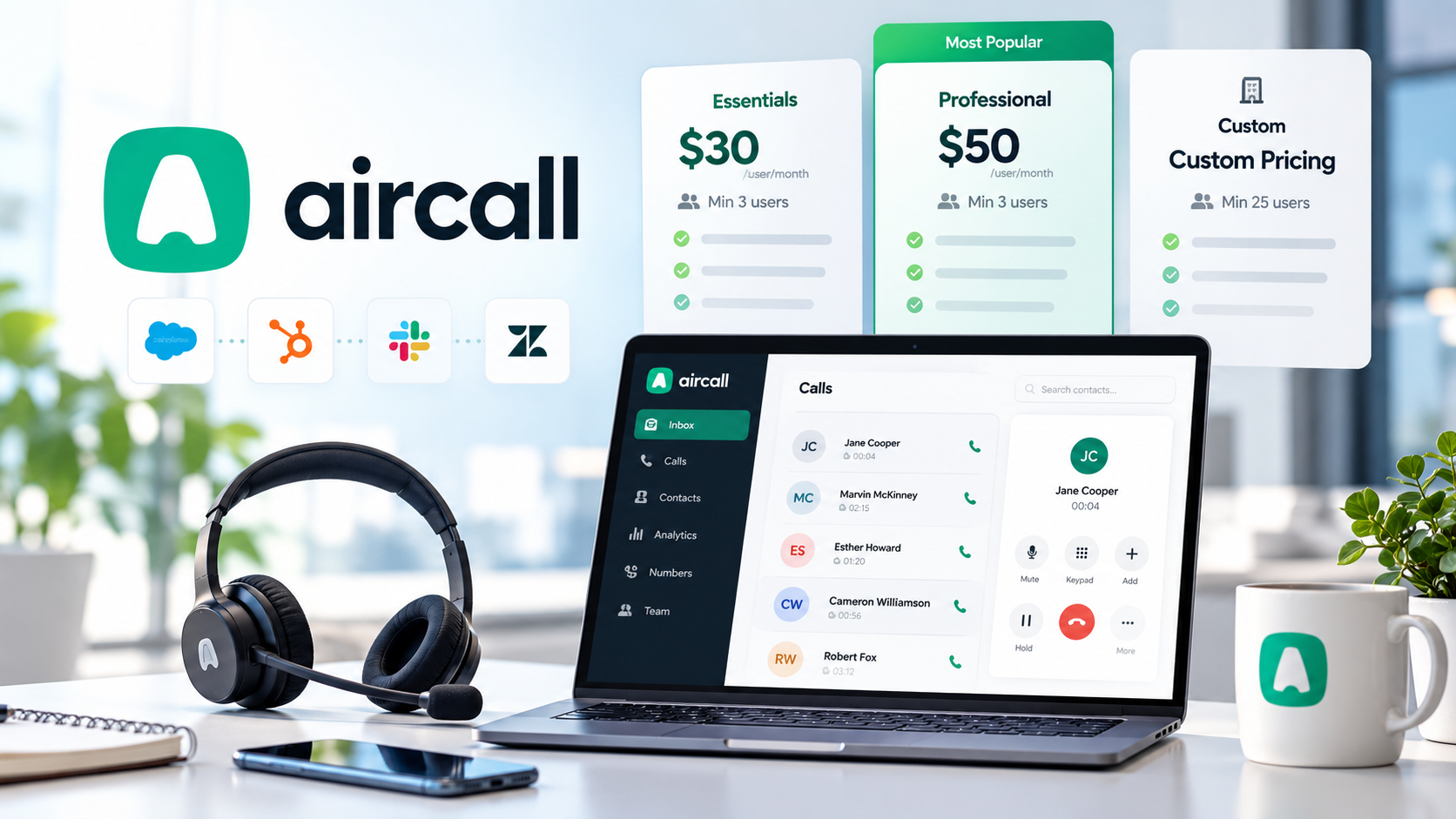
Aircall currently offers three main pricing levels: Essentials, Professional, and Custom. Annual plans can provide up to a 25% saving compared with monthly pricing.
|
Aircall Plan |
Starting Price |
Minimum Licenses |
Best For |
|---|---|---|---|
|
Essentials |
$30/license/month |
3 |
Small and growing teams |
|
Professional |
$50/license/month |
3 |
Sales & support teams |
|
Custom |
Custom pricing |
25 |
Larger organizations |
Aircall Essentials
- Unlimited calling within the US and Canada
- IVR and call recording
- SMS and MMS
- 50 AI Voice Agent minutes per account each month
- 250+ integrations and API access
- One local or toll-free number
Aircall Professional
- Advanced analytics and live monitoring
- Smart call routing
- Power Dialer
- Outbound call campaigns
- Voicemail Drop
- AI Assist features
Aircall Custom Plan
- Larger organizations can choose Aircall’s Custom plan, for which pricing is provided directly by Aircall. The plan has a 25-license minimum and adds enterprise-oriented capabilities such as custom onboarding, API developer support, service-level agreements and single sign-on.Best for: Larger companies that require greater scalability, security, onboarding support, and customized communication infrastructure.
Aircall Pricing: Essentials vs Professional
|
Feature |
Essentials |
Professional |
|---|---|---|
|
Starting price |
$30/license/mo |
$50/license/mo |
|
Minimum licenses |
3 |
3 |
|
250+ integrations |
✓ |
✓ |
|
IVR |
✓ |
✓ |
|
Call recording |
✓ |
✓ |
|
SMS/MMS |
✓ |
✓ |
|
Basic analytics |
✓ |
✓ |
|
Advanced analytics |
— |
✓ |
|
Smart routing |
— |
✓ |
|
Power Dialer |
— |
✓ |
|
Outbound campaigns |
— |
✓ |
|
AI Assist |
Limited/core AI features |
More advanced AI features |
Aircall’s Professional tier is particularly relevant for teams that expect to use the phone system actively for outbound sales or larger customer-support operations
Before choosing a plan, read our Aircall review for a closer look at its features, integrations, pros, and cons.
Are There Additional Aircall Costs?
Yes. Your license fee may not represent the complete cost.
Each plan includes one local or toll-free number, while additional numbers are currently listed at $6 per month each. International calls can also incur additional charges depending on the plan and destination. Aircall also offers optional products and AI functionality that can create additional usage or subscription charges.
Therefore, businesses should calculate their expected number of users, phone numbers, international calling requirements, and add-ons before estimating their total Aircall cost
Which Aircall Plan Should You Choose?
Choose Essentials if you need core business calling, SMS, IVR, call recording and integrations.
Consider Professional if your sales or support team needs Power Dialer, advanced analytics, smart routing, monitoring and outbound campaigns.
Larger organizations needing customized onboarding, security and enterprise-level support can contact Aircall about its Custom plan.
Still comparing your options? Our Aircall vs RingCentral comparison covers the key differences between the two business phone platforms.
Final Thoughts
Aircall pricing starts at $30 per license per month, making Essentials the more accessible option for smaller teams. Professional costs more but adds valuable sales, analytics, routing and automation capabilities.
The right plan ultimately depends on your team size, calling volume and whether advanced sales or support features are important to your workflow.
Ready to explore Aircall? Compare the available plans and features to find the right setup for your team.